
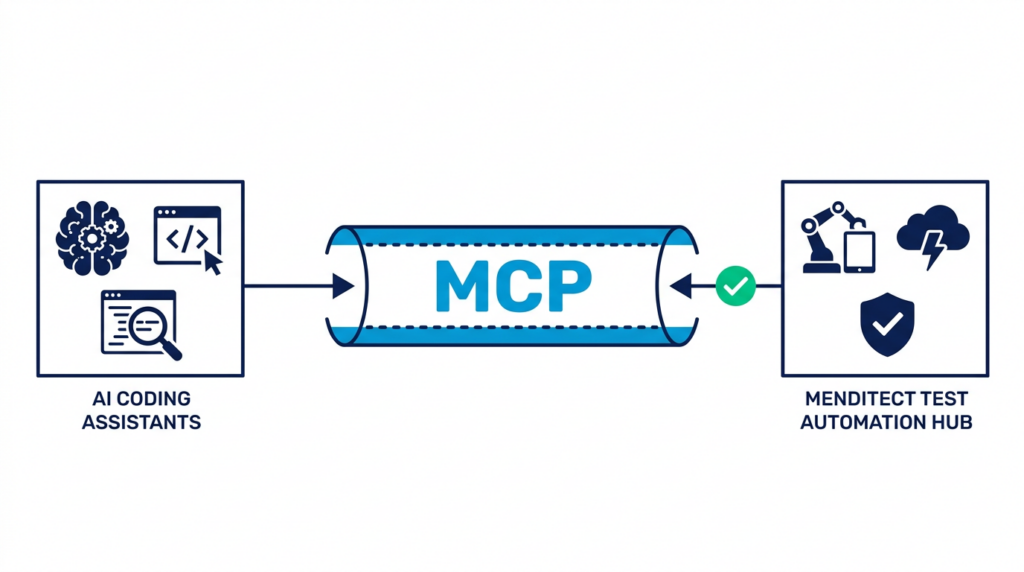
If you’ve used Menditect Test Automation (MTA) before, you know what the core engine does well: it runs microflows, handles assertions, and rolls back database changes so you don’t end up with hundreds of fake records in your development database.
Up until MTA 3.1, though, setting up those tests was completely manual. You had to open the web interface, create a suite, add steps, select entity types, and type in parameter bindings and expected values by hand. It worked, but when you had 30 or 40 microflows to cover, it took a lot of tedious clicking.
With the upcoming MTA 3.2 release, we wanted to make that process much faster. But instead of building another standalone AI chatbot with its own subscription, we decided to support the Model Context Protocol (MCP).
MCP is an open standard (started by Anthropic and adopted across tools like Cursor, Claude Code, Gemini Antigravity, and GitHub Copilot) that lets AI assistants talk directly to external developer tools. By exposing MTA’s capabilities as an MCP server, your AI assistant can now create and configure tests inside your existing MTA instance.
Let’s be honest: writing test cases by hand in any tool is rarely anyone’s favorite part of a sprint. When project deadlines get tight, automated testing is often the first thing pushed to the backlog.
Over time, especially in mature applications running on Mendix 9 or 10, that creates a lot of test debt. Teams end up with large, business-critical apps that have almost no automated tests. That makes refactoring scary, and it makes planning an upgrade to Mendix 10 or 11 feel like walking through a minefield.
With MTA 3.2, you can use your AI assistant to do the heavy lifting:
The workflow is straightforward and keeps you in control:
mxcli or Studio Pro MCP): The AI reads your application structure in a safe, read-only manner using the Mendix CLI (mxcli), or via the native Studio Pro MCP server available in Mendix 11.12 and higher. It sees microflow activities, parameters, and domain entities.To help you get started quickly, Menditect also publishes an open source template for workspace configuration with MTA MCP, MTA plugin MCP, and mxcli or Studio Pro MCP in the repository Menditect/agentic-test-tools.
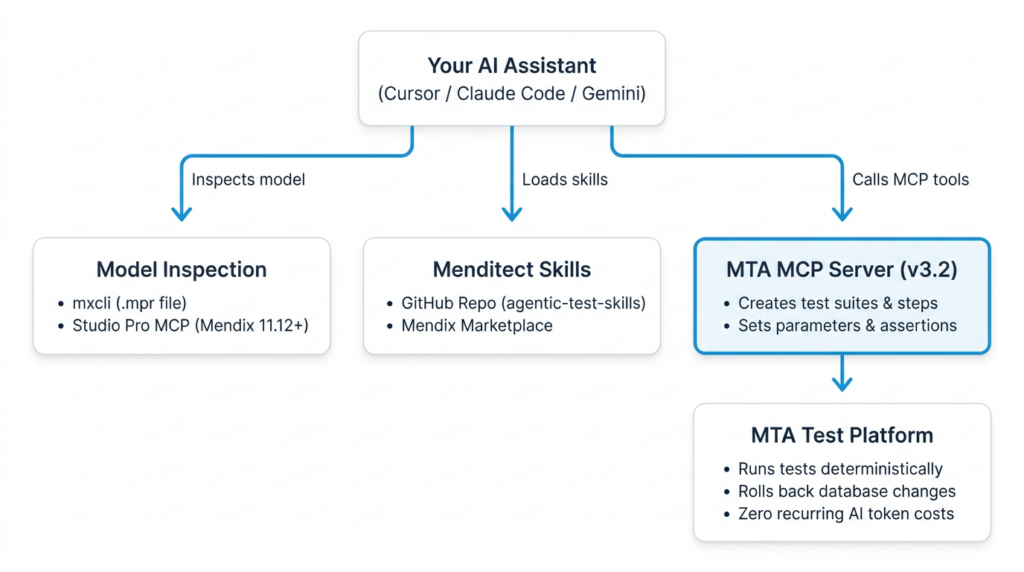
A common concern with AI in software development is unpredictable API costs.
With MTA 3.2, you only use AI “once”, during development, to analyze the microflow and generate the test steps. Once those tests are saved in MTA, they run natively in your daily CI/CD pipeline or before releases at compiled speed, with “zero AI token costs.”
You can also keep generation costs low by using a stronger reasoning model (like Claude Sonnet or Gemini Pro) to design the test plan, and then letting a faster, cheaper model (like Gemini Flash or Claude Haiku) execute the tool calls to configure the steps in MTA.
MTA 3.2 is coming out in a few weeks. If you want to see how it works on real Mendix microflows, check out these sessions:

| info@menditect.com | |
| +3185 - 4010494 | |
| KvK: 82975795 | |
| Follow us on LinkedIn |
Enter your information and choose a day and time when you would like to meet Menditect sales (1,5 hrs).